Credit Cards
Credit Cards
Overview
This article describes how to add and enable or disable credit cards in your Transvirtual account to pay for your usage. You must have a valid and active credit card on file to pay for your account; failure to do so may result in your service being automatically suspended.
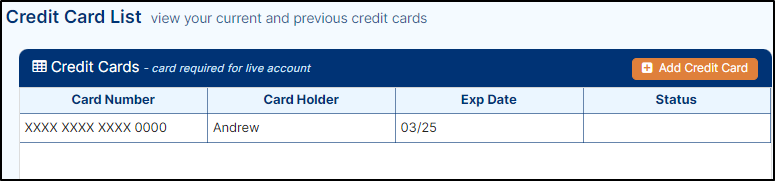
To manage your credit cards, go to Configuration > Transvirtual Account > Credit Cards. The credit card list page displays as shown below.
Add a Credit Card
- On the credit card list page, click Add Credit Card. The Add a new credit card pop-up displays as shown below.
- Manually enter the card details: Card Holder Name, Card Number, Card Expiration Date, and CVV, and select the Card Type using the drop-down.
- Click Add to save the card. The card displays on the credit card list page.
- To enable the credit card, double-click the newly added card. The card details display on the right side of the screen. Select the Active checkbox, then click Update. The card is enabled, as shown below.
Notes
Note: Mastercard and Visa do not attract card fees. Amex credit cards have a 1.74% fee.