Consignments Status
Consignments Status
Overview
Consignment Status Overrides allow you to map alternative or external status names to Transvirtual's standard consignment statuses. This is commonly used when importing consignment status updates from carriers, scanners, or third-party systems that use different wording for the same status.
To see the Consignments Status list, go to Configuration > Lists and Zones, and click Consignments Status.
Available Consignment Statuses
The following consignment statuses are available:
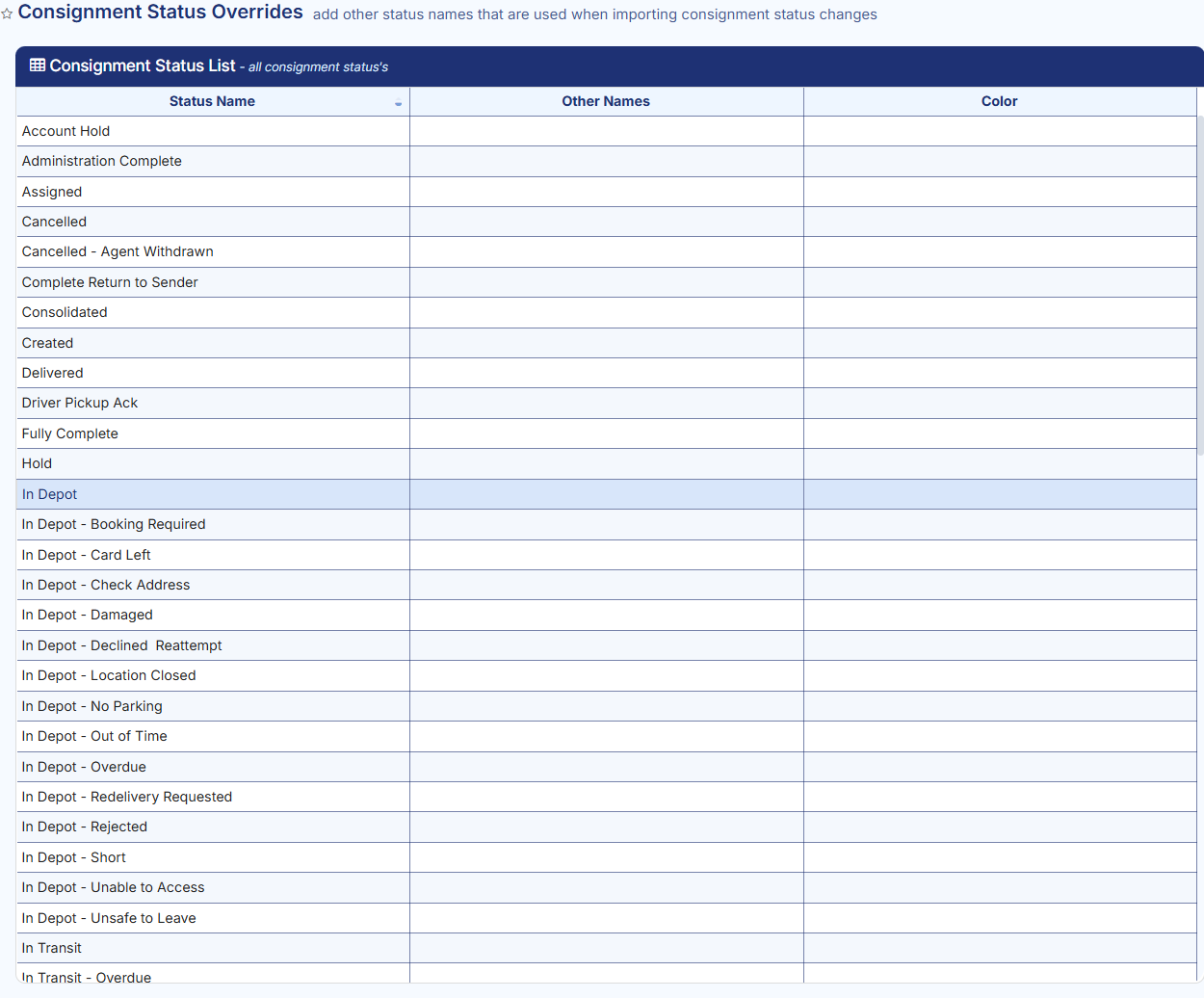
Three things you can do:
- Change the colour of the statuses in the web portal.
- Show or hide statuses from different user groups on different pages.
- Link other status names to the existing status in Transvirtual.
Important
- Default consignment status names cannot be edited or updated.
- You can, however, add alternative names (also known as aliases or AKA values) for each status type.
- You can customise and assign a colour to each consignment status to control how it appears in the Transvirtual portal. Setting a colour helps visually distinguish statuses, making it easier to identify a consignment's current state at a glance.
- Statuses can be shown or hidden for the following user groups:
- Staff
- Customers
- Agents
- Third parties
Status Types
In Transvirtual, statuses play a big part in illustrating how a consignment is travelling or at what point a consignment has reached in its lifecycle. Statuses depict the current state of a consignment. The chart below illustrates the typical status changes that occur when performing either a pickup or delivery.
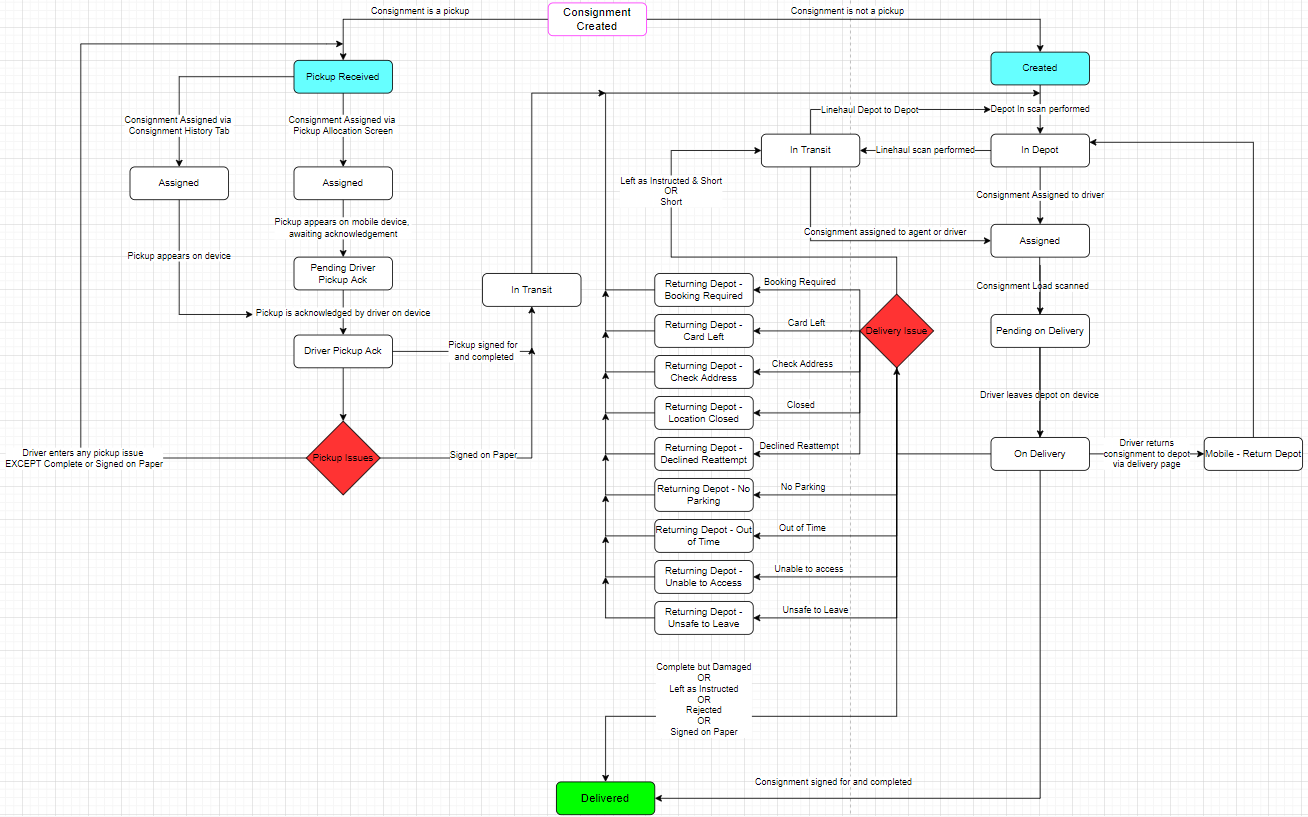
Statuses come in two different types:
- Indefinite Status: a consignment can remain in this status until something triggers it to change.
- Transient Status: appears in italics.
Examples of transient statuses are Mobile - Card Left and Mobile - Location Closed. Consignments only remain in a transient status momentarily before progressing to another status, for example: On Delivery (Indefinite) > Mobile - Location Closed (Transient) > Returning Depot - Location Closed (Indefinite).
Note: the flow above makes reference to assignment, where a consignment currently In Transit (status) changes to Assigned (status) when it has been assigned to an agent or driver. This process requires additional setup; for more information, see PUD Auto Assignment.