2022 Theme Update
There is the option in the global settings to change the theme of your TransVirtual account to the new 2022 version.
The toggle for this will change the colour scheme to match closely to that of the mobile application and will also include minor layout/design changes.
If you would like to enable this setting, it can be found under Settings > General > Global Setup > General > Other:
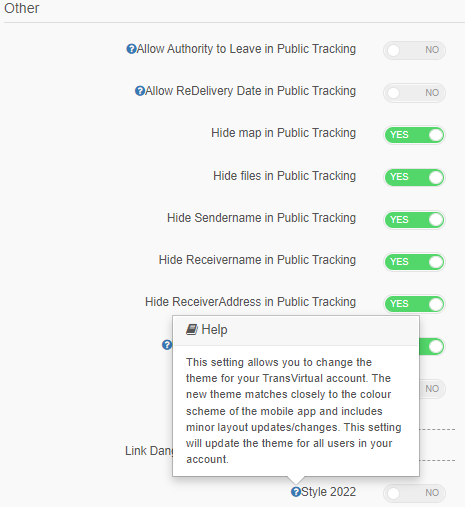
The toggle for this will change the colour scheme to match closely to that of the mobile application and will also include minor layout/design changes.
If you would like to enable this setting, it can be found under Settings > General > Global Setup > General > Other:
 Note: This setting will only appear for existing TransVirtual customers.
If you have a new account from roughly January 2022 onward, you will automatically get the updated 2022 theme.
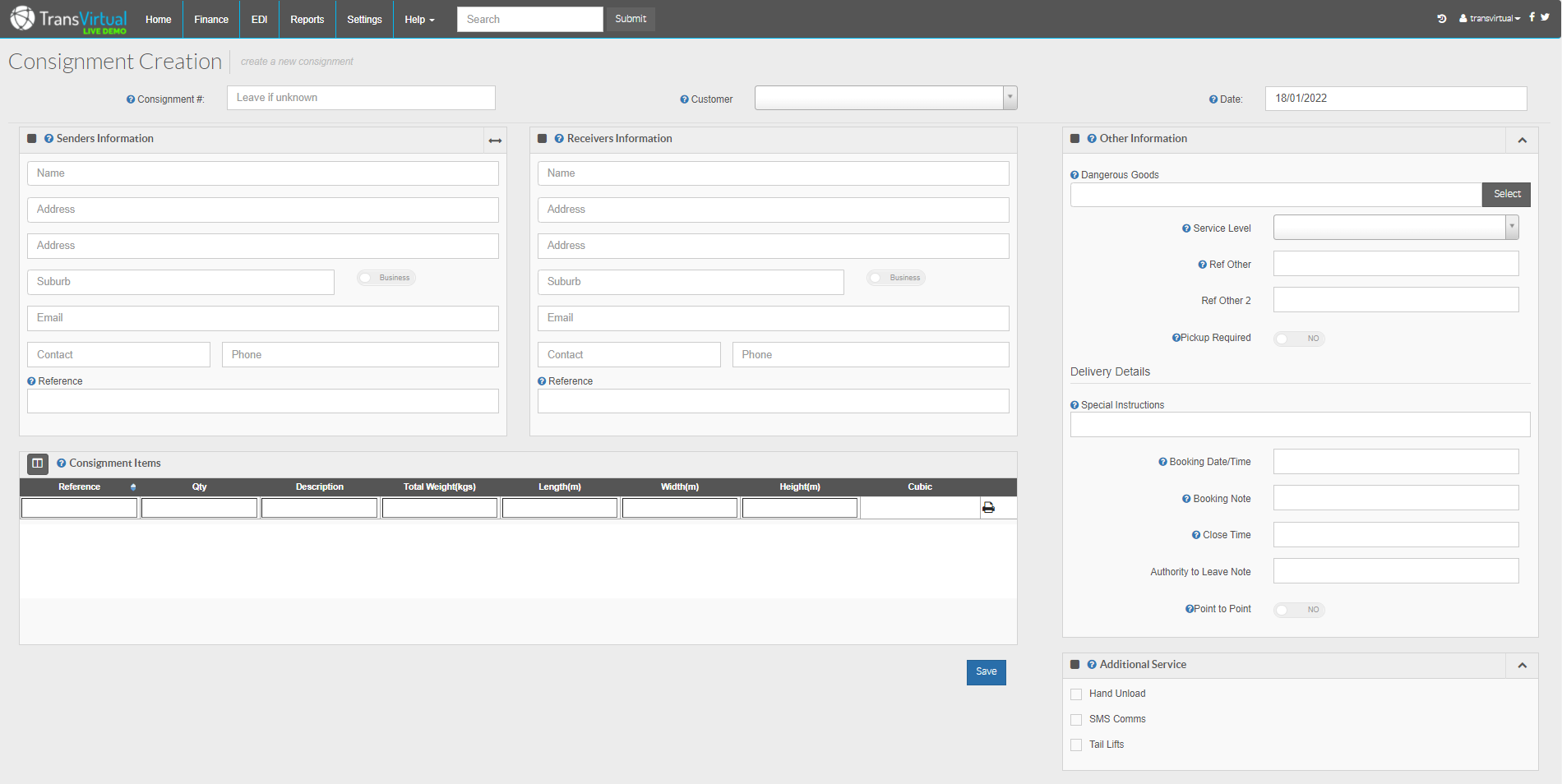
The
current TransVirtual theme appears as the below:
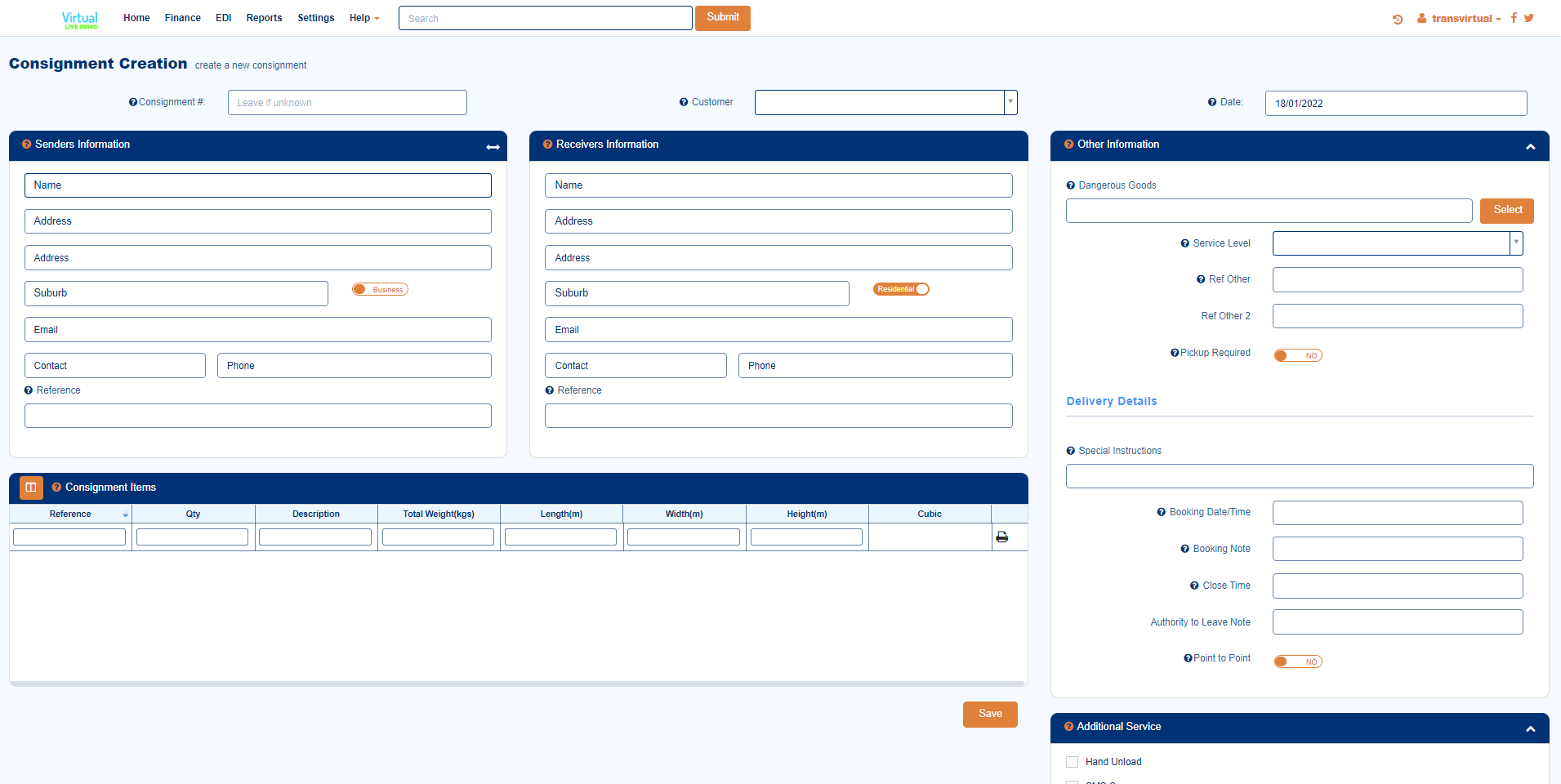
The
2022 theme will appear as the below:
Note: Updating the setting will apply the change to ALL users in your account.